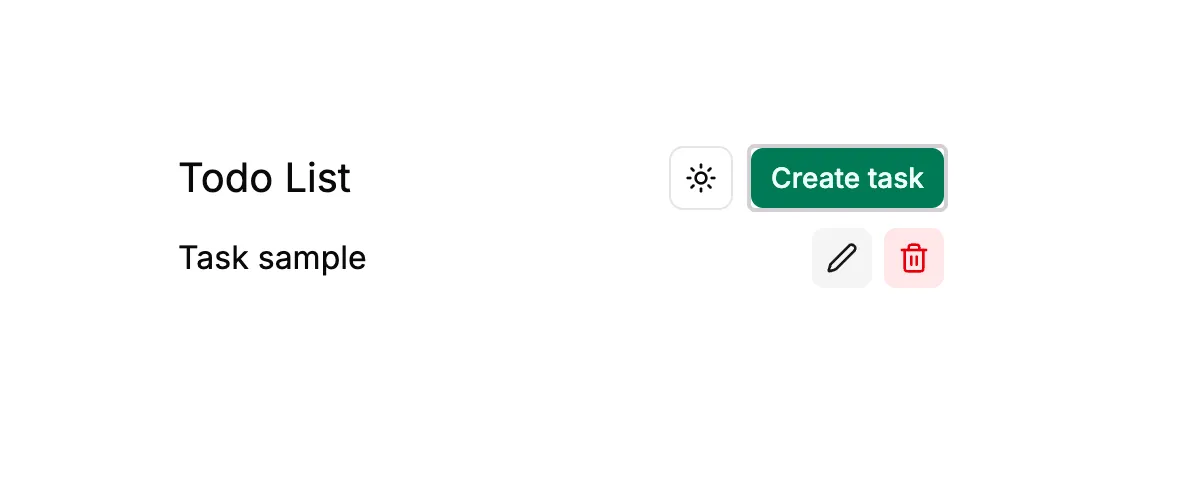
Todo app
A modern task management application for creating, updating, organizing, and tracking daily tasks efficiently.
Features
Task Management
- Create new tasks with a simple and clean interface.
- Edit existing tasks without leaving the current page.
- Delete tasks when they are no longer needed.
- View all tasks in a centralized task list.
- Prevent empty task creation and invalid submissions.
Responsive UI
- Clean and minimal interface built with React and Tailwind CSS.
- Responsive layout for different screen sizes.
- Reusable UI components for dialogs, buttons, inputs, and task elements.
- Loading states for ongoing operations.
- Dialog-based create and edit workflows.
Optimized Data Fetching
- TanStack Query for server-state management.
- Automatic task-list refreshing after create, update, and delete operations.
- Query caching to reduce unnecessary API requests.
- Mutation loading states for better user feedback.
REST API
- Express.js backend with RESTful task endpoints.
- Separate endpoints for creating, fetching, updating, and deleting tasks.
- Proper HTTP status codes and API responses.
- JSON request and response handling.
Database
- MongoDB for persistent task storage.
- Mongoose for schema definition and database operations.
- Server-side validation for task data.
- Tasks remain available across sessions and deployments.
TypeScript
- Type-safe frontend development with React and TypeScript.
- Typed task models and API responses.
- Type-safe component props and form handling.
- Improved maintainability and developer experience.
Docker Deployment
- Dockerized backend for consistent production environments.
- Multi-stage Docker build for optimized production images.
- Frontend production build served directly through the Express server.
- AMD64-compatible Docker image for cloud deployment.
- Designed for deployment using Docker Hub and Render.
Tech Stack
| Technology | Purpose |
|---|---|
| React | Frontend UI |
| TypeScript | Type safety |
| Tailwind CSS | Styling |
| Express.js | Backend API |
| MongoDB | Database |
| Mongoose | MongoDB ODM |
| TanStack Query | Server-state management |
| Axios | API communication |
| Docker | Containerization |
| Render | Deployment |
Architecture
React + TypeScript
        │
        │ HTTP
        ▼
   Express.js API
        │
        ▼
     MongoDB
In production, the frontend build is served by the Express server:
Docker Container
├── dist/       → Compiled backend
├── public/     → React production build
└── Express
    ├── /api    → REST API
    └── /*      → Frontend
Core Operations
Create Task
    ↓
POST /api/task

Fetch Tasks
    ↓
GET /api/task

Update Task
    ↓
PATCH /api/task/:id

Delete Task
    ↓
DELETE /api/task/:id
Deployment
The application can be built into a single Docker image containing both the compiled Express backend and the production frontend.
docker buildx build \
  --platform linux/amd64 \
  -t abhinavnotfound101/todo-app:latest \
  --push \
  ./server
The resulting image can then be deployed as a web service on a container platform such as Render.